Turn More Enquiries Into Customers — Automatically.
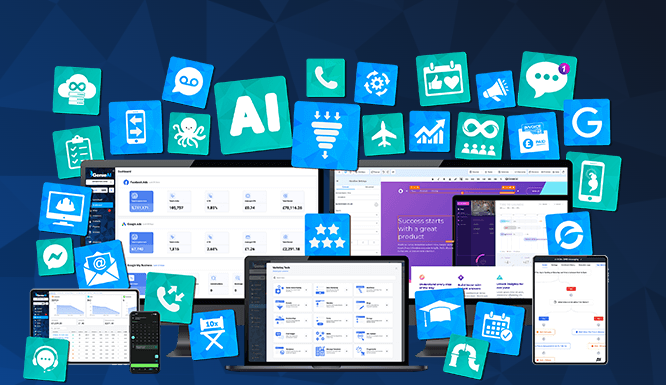
ZenOS brings your leads, WhatsApp follow-up, bookings, CRM, reviews and marketing into one simple system — so fewer opportunities slip through the cracks. Code Zen helps configure and implement it around the way your business actually works.
Where is your business losing opportunities?
Start with the issue you recognise. We’ll audit that area first and, if there is a more valuable opportunity elsewhere, we’ll show you. All three routes feed into the same free Code Zen business audit.
Value may already be sitting in your database.
Old customers, dormant leads and previous enquiries may hold opportunities you are not following up. We’ll assess where structured reactivation could make commercial sense.
Get My Free Database AuditAre genuine review requests happening consistently?
We’ll assess your current Google review position, how customers are being asked for reviews and where a consistent automated process could help.
Get My Free Google Review AuditGood enquiries can disappear between channels.
Calls, WhatsApps, forms, emails and social enquiries can go untracked or be followed up too late. We’ll identify where leads may be falling through the cracks.
Get My Free Enquiry Follow-Up AuditWhy Code Zen exists
Founder, Code Zen
Most businesses do not need more disconnected apps or another collection of separate service packages. They need one system that helps them respond faster, follow up better, organise customers properly and stop good opportunities from slipping through the cracks.
ZenOS is a connected operating system for marketing, sales and customer growth. You are not handed an empty account and expected to work everything out yourself. Starter workflows, messaging, pipelines, forms, funnels, templates and calendars are already available inside ZenOS, with training and built-in AI assistance to help you use them. Once you become a paying customer, Code Zen also works with you directly to configure the priority systems around your business.
You don’t just get the software. We help get it working for your business.
Tell us what you need in the way that suits you — WhatsApp message, voice note, phone call or video/screen-sharing session where useful. Code Zen works with you to configure, test and operationalise the agreed priority systems around the way your business actually works.
Discover 17 Reasons Why
Your Business Needs ZenOS
#1: Artificial Intelligence
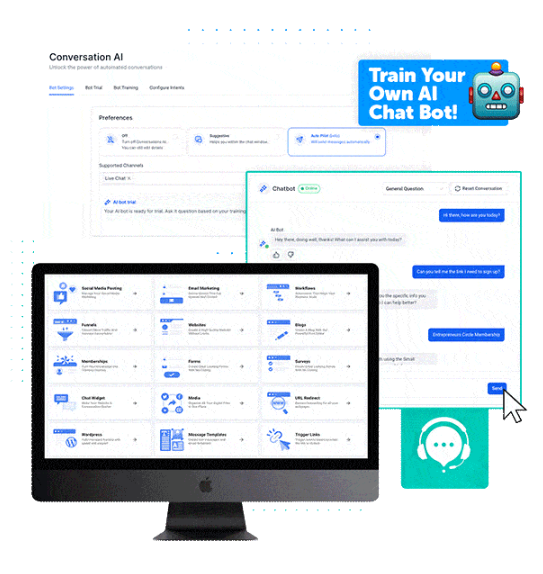
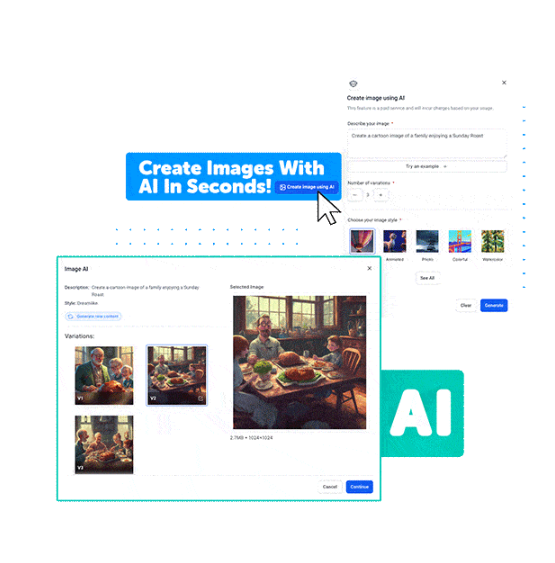
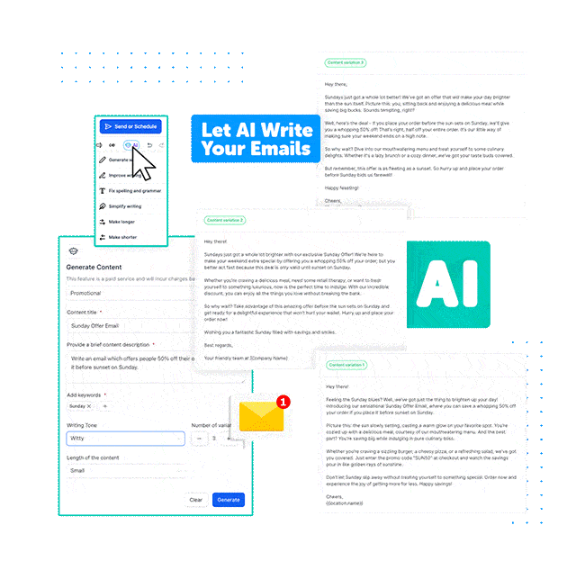
AI is built into useful parts of ZenOS to help with everyday sales, marketing and customer communication tasks.
You can use the built-in AI to:
- Write emails
- Write website copy
- Generate images
- Respond to chat messages
- Assist with other supported content and conversation tasks
The point is practical assistance: use AI where it saves effort, while you stay in control of what is sent, published or used in your business.
#2: Automated Marketing Campaigns
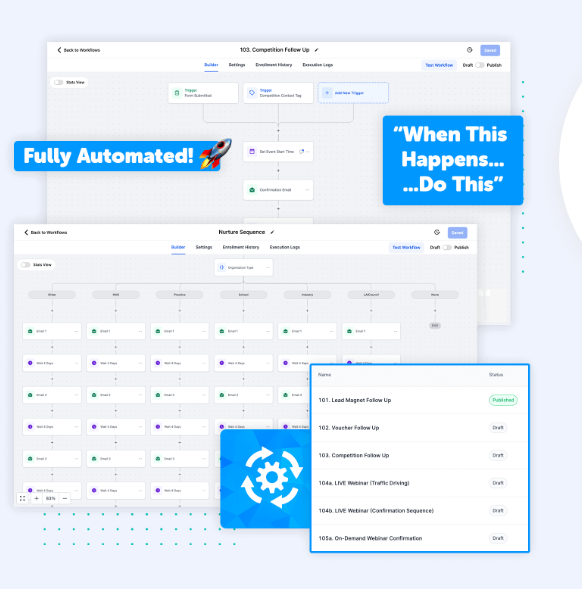
ZenOS lets you build automated workflows visually, using triggers and actions to define what should happen next in a customer journey.
Use it for both new leads and previous customers. A Facebook or website lead can receive an immediate WhatsApp response and structured follow-up, while dormant customers can be segmented and reactivated from your existing database. You may not need more leads — your next customers may already be sitting in your database.
Want to see the system follow up automatically?
That’s where the time-saving and revenue-saving value starts to become obvious.
#3: Email Marketing
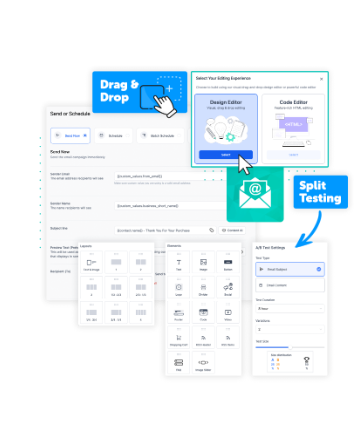
Create email campaigns from scratch, adapt existing templates or use built-in AI assistance to help draft and refine your content.
Split testing and campaign reporting give you a practical way to compare variations and improve future emails based on what your audience responds to.
#4: 2-Way WhatsApp & Texting
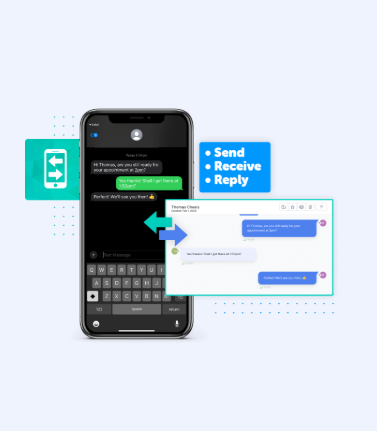
ZenOS supports two-way WhatsApp messaging inside the same connected system, so your team can send, receive and manage customer conversations alongside the relevant contact record.
Two-way text messaging is also available, giving you another direct channel for appropriate lead and customer follow-up.
Use one-to-one conversations or approved broadcast messaging as appropriate, with replies returning to the same conversation history.
Connected WhatsApp is included with ZenOS. That keeps an important customer channel inside the same system as your CRM and follow-up workflows.
#5: Omnichannel Inbox
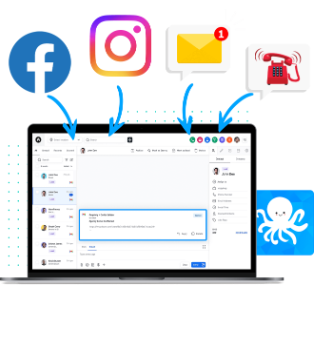
ZenOS can bring supported inbound conversations and enquiries into one shared inbox, reducing the need to check multiple channels separately.
Depending on the connected channels, that can include WhatsApp, website forms, Facebook and Instagram messages, email replies, text messages and phone activity.
Your team gets a clearer conversation history and a better view of who has been in touch, what they asked and what needs to happen next.
#6: ZenOS Starter Systems
Your ZenOS account comes with useful starter campaigns, workflows, forms, landing pages and templates already loaded, so you are not beginning with a blank account.
Use them as a practical starting point, then adapt the messaging, timing and customer journey to suit your own business.
Starter systems can include:
- Long-term follow-up campaign structures for B2B and B2C use cases
- Competition and promotional follow-up workflows
- Lead-magnet campaigns with supporting landing pages
- Additional reusable workflow and campaign templates
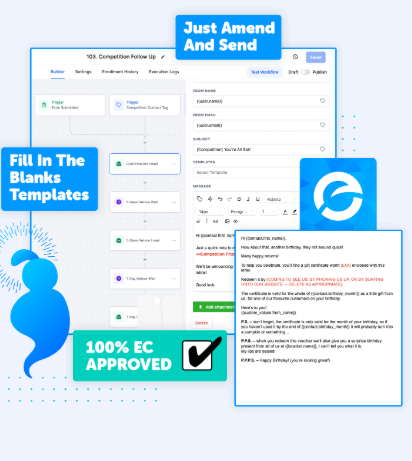
Want to see what is already inside a ZenOS account?
The Starter Systems give you a practical starting point, while training, guides, available AI assistance and included hands-on setup & implementation help you adapt them to your business.
#7: Full Website Builder
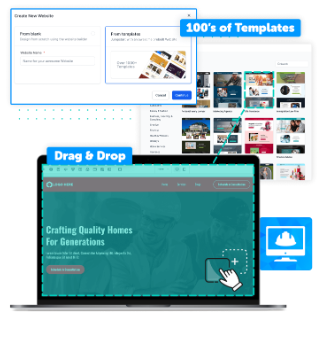
ZenOS includes a drag-and-drop website builder, but the bigger value is the connection between your website and the rest of your sales and marketing system.
A visitor can become a captured lead, enter the CRM, receive a WhatsApp response and follow-up, book or buy, receive a review request and later be reactivated — all as part of one connected customer journey.
You do not need to move an existing website to ZenOS. If you do use the builder, it can operate as part of the wider customer journey rather than as a standalone site.
#8: Funnels & Landing Pages
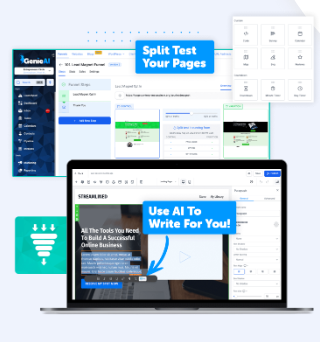
Use dedicated landing pages and funnels when a focused campaign needs a clearer path from click to enquiry, booking or purchase.
Build funnels with the visual editor, connect forms and follow-up workflows, and use the ZenOS Starter Systems as a starting point where they fit the campaign you are running.
#9: Fully Customisable Form Builder
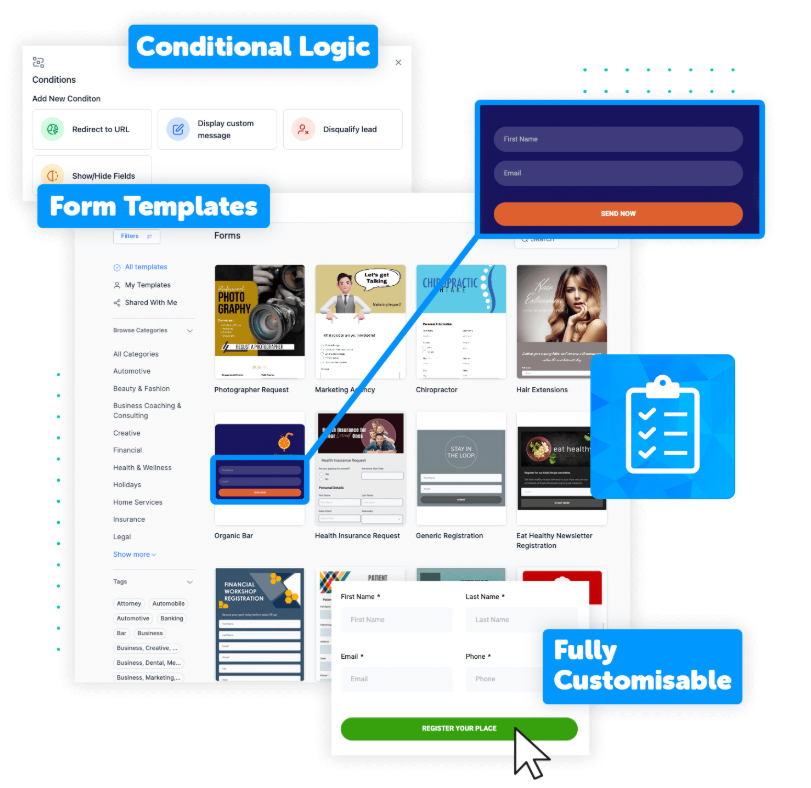
If you already have a website, ZenOS forms can be embedded into existing pages so new enquiries can be captured directly into the CRM and the appropriate follow-up can begin.
You can also build surveys for feedback, qualification or lead capture and connect the responses to the relevant customer workflow.
Paying for Facebook or Instagram leads? The ad should be the start of the journey — not the end.
Meta ad → lead captured → CRM → immediate response → WhatsApp / email follow-up → pipeline → booking or sales conversation → continued follow-up. The value is not simply running an ad; it is connecting the lead you paid for to the system that manages what happens next.
#10: Review Management
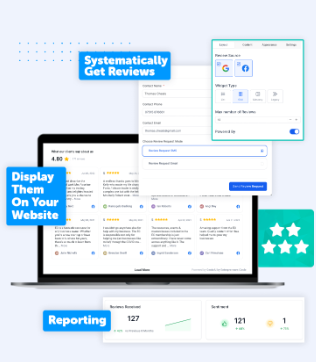
Build a stronger Google review profile by systematically asking genuine customers for feedback at the right point in the customer journey.
- Automatically send legitimate review requests.
- Keep review follow-up consistent instead of relying on staff memory.
- Display reviews beautifully on your web pages.
ZenOS helps make genuine review requests a consistent part of your customer follow-up — without relying on manual reminders.
#11: Virtual Phone System
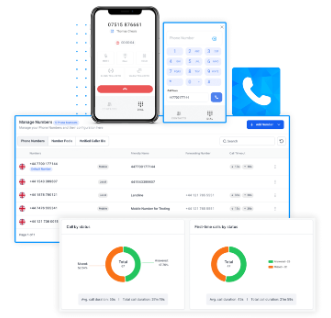
ZenOS includes click-to-call functionality so authorised users can place business calls from the system and keep call activity connected to the customer record.
Tracking numbers and call-recording options can also be configured where appropriate for the business and permitted by applicable requirements.
#12: Full Calendar Booking System
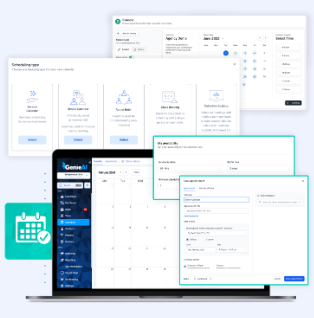
ZenOS includes a built-in calendar and booking system for businesses that need customers or prospects to schedule time directly.
Use it for meetings, appointments, round-robin allocation and other booking flows, with practical controls such as availability, buffer time and booking limits.
Want to see if the ZenOS calendar will work for your business?
Booking, reminders and follow-up are much more useful when they live inside the same system.
#13: Invoicing & Payments
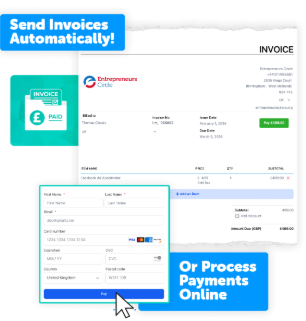
ZenOS can connect supported payment providers such as Stripe and PayPal, allowing payments to form part of website, funnel or booking journeys where appropriate.
Quotes and invoices can also be managed from the platform, helping keep payment activity closer to the underlying customer record.
#14: Courses & Memberships
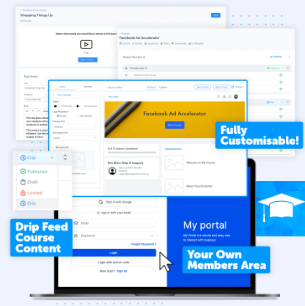
ZenOS includes course and membership functionality for businesses that want to deliver structured content, training or member-only resources online.
Courses can be offered free or paid, with products and offers organised inside the same broader customer system.
#15: Social Media Planner
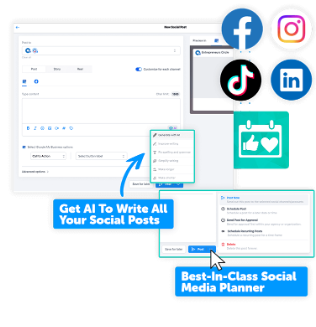
ZenOS includes a social media planner for drafting and scheduling content to supported connected channels, with built-in AI available to assist with first drafts where useful.
Messages from supported connected channels can also feed into the shared inbox, helping social conversations sit alongside the rest of the customer history.
Bonus: the more these tools connect, the more useful ZenOS becomes.
Social scheduling, websites, CRM, booking, follow-up, advertising lead capture and reviews are worth more when the customer journey is connected.
#16: Pipeline
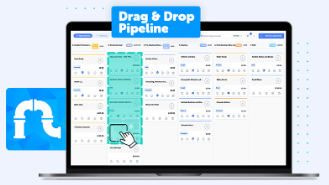
ZenOS includes a visual pipeline so you can see where leads and opportunities sit in your sales process and move them between stages as work progresses.
The same stage-based approach can also support selected operational workflows when a simple visual process is useful.
#17: Analytics & Dashboards
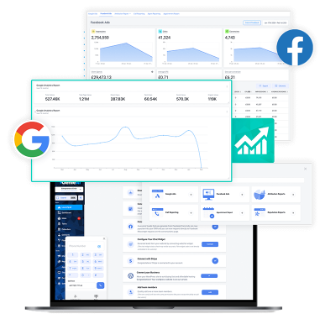
ZenOS dashboards bring key operational and marketing information into one view, including pipeline activity, appointments and other connected performance data.
Where your advertising accounts are connected, Google Ads and Meta advertising data can also be viewed alongside the wider customer journey for more useful reporting.
One connected system. Instead of a stack of separate tools.
The 17 ZenOS capabilities you’ve just seen can work from the same customer record and the same journey. An enquiry can move from first contact to follow-up, booking, sale, review and reactivation without your team having to stitch separate systems together.
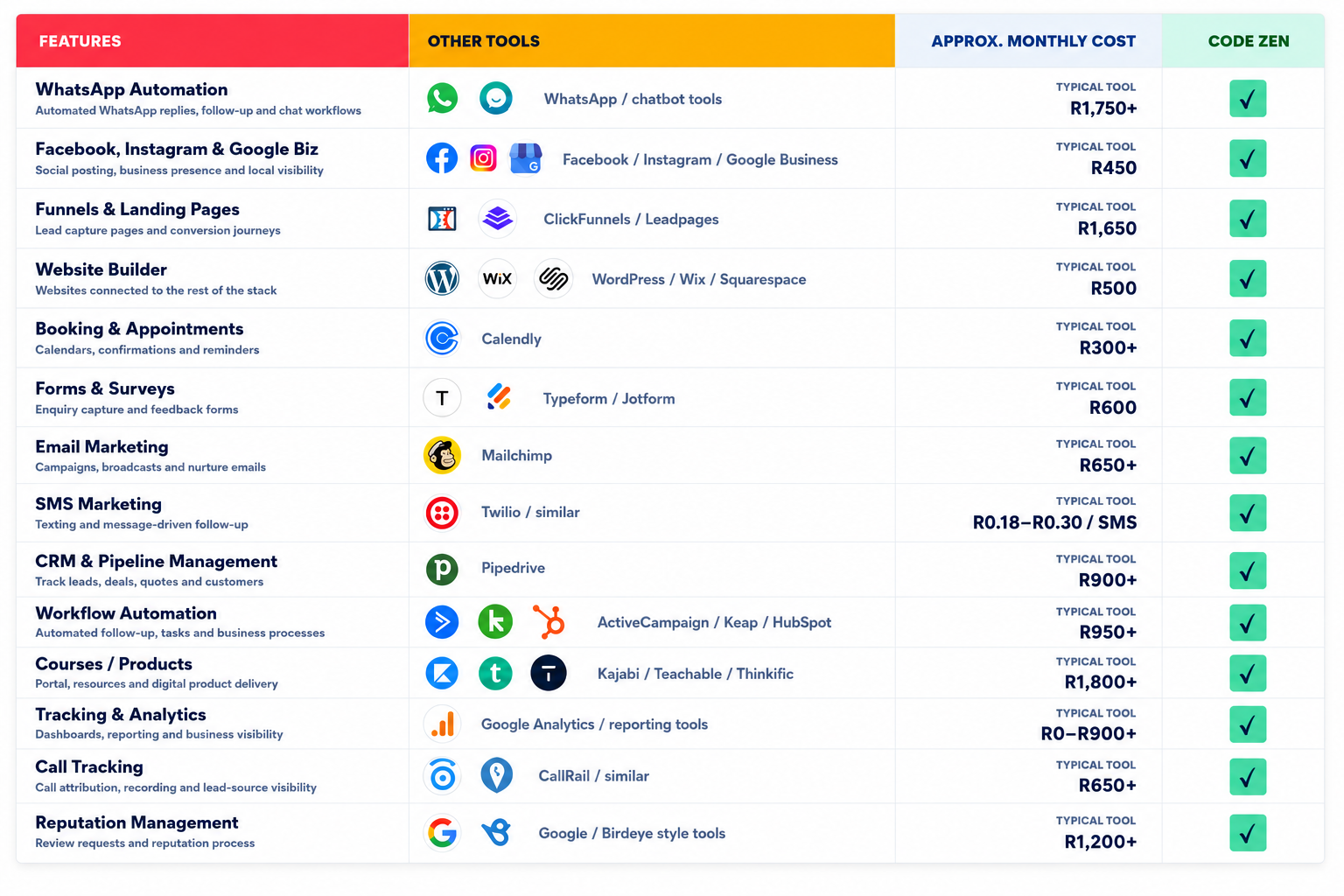
Compare ZenOS with separate tools.
See the difference between one connected customer-growth system and paying for individual platforms to handle the same business functions.
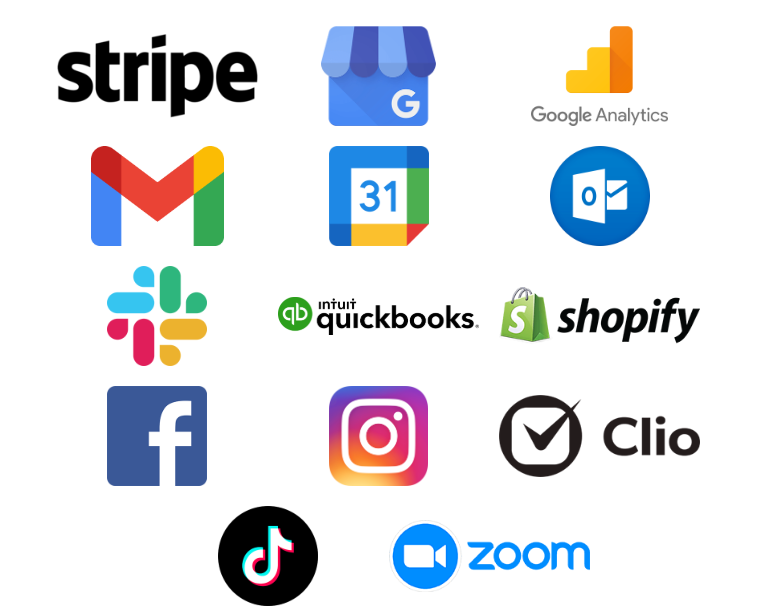
Connect ZenOS with the tools around your business.
You do not have to replace every existing system on day one. ZenOS is designed to connect the important parts of your sales, marketing and customer journey so your tools can work together instead of operating in isolation.
We don’t just give you the software.
We help build the system around your business.
Give us the details and we can help connect, configure, test and launch the next priority in your business — with up to 2 hours of hands-on implementation included every month.
We get into the account and help build the setup — not just tell you what button to press.
We identify how enquiries, customers, bookings and follow-up currently work and where opportunities are being lost.
We help set up the relevant CRM, customer database, WhatsApp, workflows, bookings, reviews, pages and other required components.
We test the setup, make practical adjustments and put the system into operation around your real customer journey.
Additional campaigns, workflows, automations and customer journeys can be added as your business develops.
Database reactivation, review automation, lead follow-up or booking can often be configured from details to live within the included implementation time, provided the work fits inside the monthly allowance.
Need substantially more done for you? Deeper bespoke implementation remains available separately for larger website builds, major custom automation projects, complex integrations, extensive migrations or ongoing done-for-you work.
Sensible questions from business owners.
How do I know if ZenOS is right for my business?
If your business generates enquiries, manages customer conversations, books appointments, sends quotes, follows up, asks for reviews or relies on repeat business, ZenOS may be a good fit. It is designed for businesses that want those activities to work through a more connected system.
Do I need technical knowledge?
No specialist technical knowledge is required. You are not starting from an empty platform: the Starter Systems, training and built-in AI assistance provide a practical starting point, and paying ZenOS customers also receive hands-on Code Zen setup and implementation within the included monthly allowance.
Will I receive training and hands-on setup?
Yes. Help videos, training material, guides, templates and built-in AI assistance are available, and paid membership includes up to 2 hours of hands-on setup and implementation each month. We can work directly in the account with you to connect, configure and customise the agreed priority systems around your business.
Can I keep my existing systems for now?
Often yes. You do not have to rip everything out immediately. In many cases the better path is to start by solving the biggest leak in the business first, while connecting or replacing other tools over time.
Can Code Zen actually help set the account up for me?
Yes. Your membership includes up to 2 hours of hands-on setup & implementation every month. For focused use cases such as database reactivation, review automation, lead follow-up or booking, that can often cover the complete practical setup — importing data, connecting the required tools, configuring workflows and triggers, adapting messages, testing and launching the system — provided it fits within the included allowance. Substantially deeper custom work or ongoing done-for-you implementation is available separately if you need it.
Can I speak to a real person before I sign up?
Yes. A free product or demonstration call is available if you want to understand ZenOS, ask questions or see relevant functionality before purchasing. Once you are a paying customer, you can also work with Code Zen through WhatsApp, voice notes, calls and video or screen-sharing sessions where useful.
How does the 14-day free trial work?
Start your 14-day free trial and explore ZenOS together with the pre-built Starter Systems already inside your account. You can test the core tools, work through the included systems and see how the connected platform could fit your business. The trial is for access and self-exploration; personalised Code Zen configuration and customisation begin when you become a paying ZenOS customer or use the assisted implementation route. The complete Code Zen offer is shown on the next step before you start.
See How ZenOS Could Work in Your Business.
Start with a free business audit so we can identify where leads, customers, follow-up, reviews, bookings or marketing may be leaking opportunities. From there, we can show you how ZenOS could be configured around your business — and if it looks right, you can explore the platform with the 14-day free trial.